
Cable television is becoming a thing of the past, and IPTV streaming is leading the charge. This internet-based alternative offers more control over your channel lineup, viewing schedule, and package costs. As a result, IPTV services have gained immense popularity among cord-cutters seeking flexibility and convenience.
With IPTV, you can access live TV channels, on-demand content, and exclusive programming directly through your internet connection. This comprehensive guide will help you understand the technical aspects of IPTV streaming, including required hardware and internet speed recommendations.
Whether you’re looking to save on entertainment costs or access diverse content from around the world, this guide will help you make an informed decision about switching to IPTV. We’ll explore the best IPTV services available, ensuring you find the perfect fit for your viewing needs.
Key Takeaways
- Understand the basics of IPTV and how it works
- Discover the benefits of IPTV streaming for cord-cutters
- Learn about the technical requirements for IPTV streaming
- Explore the best IPTV services available in 2023
- Make an informed decision about switching to IPTV
What Is IPTV and Why It’s Revolutionizing Television
IPTV, or Internet Protocol Television, is transforming the way we consume television content by delivering it through internet protocols rather than traditional broadcast methods. This shift is revolutionizing television by providing viewers with more flexibility and control over their viewing experience.
Understanding Internet Protocol Television
IPTV stands for Internet Protocol Television, a service that allows users to stream live TV and on-demand content via the internet. To use IPTV services, you typically need to choose a provider and download a compatible app or player onto your streaming device. This method is more convenient and usually cheaper than traditional TV services, as it eliminates the need for an antenna or set-top box.
There are several IPTV formats available, including live TV, time-shifted TV, video-on-demand (VOD), and near-video-on-demand. These formats cater to different viewer preferences, offering a range of content options.
How IPTV Differs from Traditional Cable
Unlike traditional cable, which requires dedicated infrastructure and hardware, IPTV works on any internet-connected device with the appropriate app or player installed. This flexibility allows viewers to watch their favorite shows and movies on various devices, including smartphones, tablets, and smart TVs.
The key differences between IPTV and traditional cable are highlighted in the following table:
| Feature | IPTV | Traditional Cable |
|---|---|---|
| Content Delivery | Internet protocols | Dedicated cable infrastructure |
| Device Compatibility | Any internet-connected device | Limited to TV with set-top box |
| Content Selection | Customized channels and on-demand content | Predefined channel packages |
| Cost | Generally more affordable | Often more expensive with additional fees |
By offering more flexibility, customization, and affordability, IPTV is revolutionizing the television landscape and changing the way we consume media.
Benefits of Cutting the Cord with IPTV Services
With the rise of IPTV, viewers are now able to enjoy their favorite shows and movies without the need for traditional cable subscriptions. This shift is driven by the numerous benefits that IPTV services offer, making them an attractive option for cord-cutters.
Cost Savings Compared to Cable Packages
One of the primary advantages of IPTV is the potential for cost savings. By switching to IPTV services, you can significantly reduce your entertainment expenses. Most IPTV subscriptions cost a fraction of traditional cable packages while offering comparable or superior content libraries. Additionally, IPTV eliminates the need for expensive equipment rentals and installation fees associated with cable services.
Greater Content Flexibility and Accessibility
IPTV services provide greater content flexibility and accessibility. With the right service, you can access everything from live news and sports channels to entire libraries of on-demand movies, series, and even international content. Most IPTV services offer extensive on-demand libraries alongside live channels, giving you access to both current broadcasts and past episodes or seasons of your favorite shows.

Multi-Device Viewing Capabilities
The flexibility of IPTV allows viewers to access content across multiple devices simultaneously. You can watch your favorite shows on smartphones, tablets, streaming sticks, and other popular streaming devices. This means family members can watch different programs on their preferred screens without conflicts, enhancing the overall viewing experience.
By cutting the cord and switching to IPTV services, you can enjoy a more personalized and flexible entertainment experience. With the benefits of cost savings, greater content flexibility, and multi-device viewing capabilities, IPTV is revolutionizing the way we consume television.
Top IPTV Services for Cord-Cutters in 2023
The year 2023 brings an exciting array of IPTV services tailored for those looking to cut the cord. With numerous options available, choosing the right IPTV service can be daunting, but we’re here to guide you through the top contenders.
Hulu + Live TV
Hulu + Live TV stands out with its combination of live channels (65+) and an extensive on-demand library, making it an excellent all-in-one solution for cord-cutters seeking both current broadcasts and catalog content. You can enjoy live TV, sports, and news, alongside a vast library of on-demand content, including popular shows and movies.
YouTube TV

YouTube TV offers one of the most comprehensive channel lineups with over 85+ channels, including local networks, sports, news, and entertainment, plus unlimited cloud DVR storage for recording your favorite shows. This service is ideal for those who want flexibility and a wide range of channels.
Sling TV
Sling TV provides a more budget-friendly approach with its customizable Orange and Blue packages, allowing subscribers to pay only for the channel groups they actually want to watch. This flexibility makes it an attractive option for cord-cutters looking to save on their subscription costs without sacrificing their favorite content.
FuboTV
FuboTV specializes in sports content with over 100 channels, making it the premier choice for sports enthusiasts who want access to niche athletic competitions alongside standard entertainment options. It’s a great IPTV service for those who prioritize sports programming.
Comparison of Features and Pricing
When comparing these services, consider not just the monthly subscription cost but also included features like simultaneous streams, DVR capacity, and device compatibility to determine which offers the best value for your specific viewing habits. For a more detailed comparison and to find the best paid IPTV services, you can visit https://www.solidiptv.store/find-the-best-paid-iptv-services-for-streaming/.
Each platform offers different user interfaces, channel selections, and add-on options that can significantly impact your overall satisfaction with the service. By considering these factors, you can make an informed decision about which IPTV service best suits your needs.
How to IPTV Watch TV Online: Setup Guide
With IPTV, you can watch TV online using various devices, but you need to follow a simple setup guide to get everything running smoothly. To use IPTV services, you’ll typically need to choose a provider and download a compatible app or player onto your streaming device.
Required Hardware and Devices
Setting up IPTV requires minimal hardware – typically just a streaming device (smart TV, streaming stick, smartphone, tablet, or computer) and a stable internet connection. Most modern smart TVs have built-in capabilities to run IPTV apps directly, while older televisions can be upgraded with affordable streaming devices like Amazon Fire Stick, Roku, or Apple TV.
- Smart TVs with built-in IPTV capabilities
- Streaming devices (e.g., Amazon Fire Stick, Roku, Apple TV)
- Smartphones and tablets
- Computers and laptops
Downloading and Installing IPTV Apps
After selecting your IPTV service, you’ll need to download and install the service’s dedicated app from your device’s app store. Many popular IPTV players have apps available for download. For example, if you’re using a Fire TV Stick, you might need to sideload the app following the provider’s instructions.

Account Setup and Configuration
Once the app is installed, you’ll need to set up your account by entering your subscription credentials (username and password) into the app. You’ll also configure basic preferences like favorite channels and parental controls. Most services allow installation on several devices under one subscription, though they may limit simultaneous streams.
- Enter your subscription credentials
- Configure favorite channels and parental controls
- Manage multiple devices under one subscription
By following these steps, you can easily set up IPTV on your preferred devices and start watching TV online. Ensure you have a stable internet connection and compatible hardware to enjoy a seamless streaming experience.
Technical Requirements for Smooth IPTV Streaming
To enjoy seamless IPTV streaming, it’s crucial to understand the technical requirements that ensure a smooth viewing experience. Your IPTV service is only as good as the infrastructure supporting it. Let’s dive into the key technical factors that can make or break your IPTV experience.
Internet Speed Recommendations
A reliable internet connection is the foundation of smooth IPTV streaming. The recommended internet speeds vary based on the quality of the content you’re streaming. For HD content, you’ll need a minimum of 10-15 Mbps, while 4K streaming requires 25 Mbps or more. However, it’s not just about raw speed – connection stability is equally important. A consistent 20 Mbps connection will generally provide better streaming quality than a fluctuating 50 Mbps connection that experiences frequent drops.
To ensure optimal performance, consider the following tips:
- Check your current internet speed and compare it to the requirements of your IPTV service.
- If you’re experiencing buffering, try restarting your router or reducing the number of devices using your network.
- For high-definition streaming, especially 4K content, consider upgrading your internet plan if necessary.
Compatible Devices and Platforms
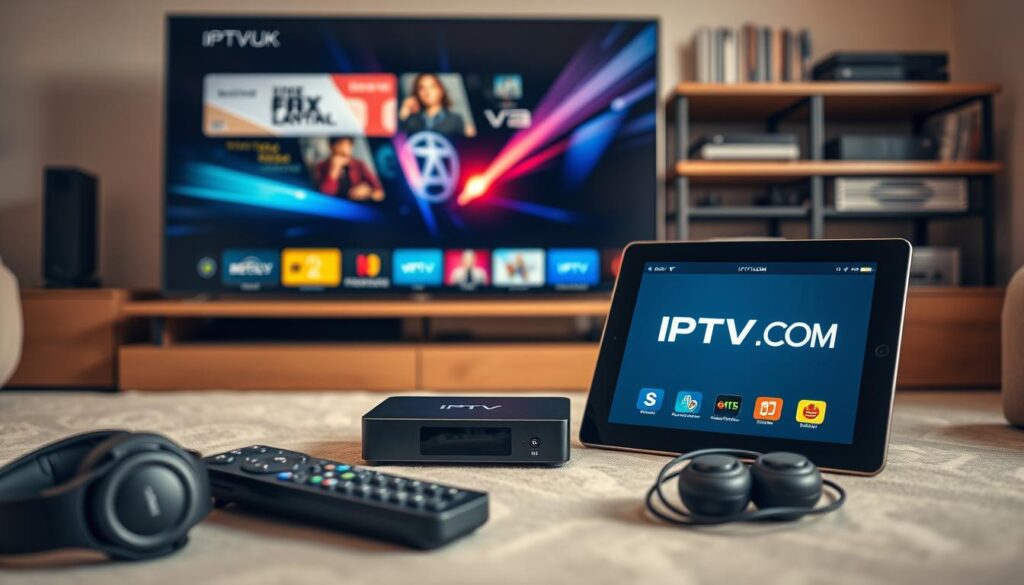
Most modern devices are compatible with IPTV services through dedicated apps. You can enjoy IPTV on smart TVs, streaming devices like Roku, Apple TV, and Amazon Fire Stick, as well as smartphones and tablets. For the best experience, ensure your devices meet the minimum system requirements for your chosen IPTV service. For detailed setup instructions on specific devices, you can refer to guides like the one on setting up IPTV on Windows.
Network Optimization Tips
To minimize buffering and ensure high-quality streaming, optimize your home network. Consider using a wired Ethernet connection instead of Wi-Fi, especially for 4K content or when multiple devices are streaming simultaneously. You can also implement Quality of Service (QoS) settings on your router to prioritize streaming traffic over other internet activities. Regularly clearing the cache on your IPTV apps can also prevent performance issues by removing accumulated temporary files that can slow down app responsiveness and streaming quality.
By paying attention to these technical requirements and optimizing your setup, you can significantly enhance your IPTV streaming experience, enjoying smooth, high-quality video without interruptions.
Using VPNs with IPTV Services: Benefits and Setup

A VPN is a crucial tool for IPTV users looking to secure and optimize their streaming activities. By masking your IP address, a VPN allows you to access geo-restricted content and maintain a secure connection. This is particularly useful for IPTV services, as it enables you to continue watching your favorite channels and on-demand content while traveling abroad.
Why a VPN Enhances Your IPTV Experience
Using a VPN with your IPTV service provides multiple benefits, including enhanced privacy, access to geo-restricted content, and protection against ISP throttling. Many ISPs deliberately slow down streaming traffic during peak hours, but a VPN encrypts your connection, ensuring your ISP cannot identify and throttle your IPTV streaming activities. For instance, a quality VPN like CyberGhost masks your real IP address, allowing you to access region-locked content.
Moreover, VPN encryption keeps your connection secure, so your streaming activity stays completely private. This stops your ISP or any other third party monitoring your connection from seeing what you’re doing online and secures all your internet traffic. By hiding what you’re doing online, a VPN can help you maintain consistent speeds for reliable streaming even during busy periods.
Top VPNs for IPTV Streaming
When selecting a VPN for IPTV, prioritize services with high-speed servers, unlimited bandwidth, strong encryption, and a strict no-logs policy to ensure optimal streaming performance. Some top VPNs for IPTV streaming include those that offer dedicated servers for streaming and have a proven track record of bypassing geo-restrictions. For more information on the best IPTV services, you can check out resources like IPTV UK.
How to Configure a VPN with Your IPTV Service
Setting up a VPN with your IPTV service typically involves installing the VPN app on your streaming device, connecting to an appropriate server location, and then launching your IPTV application. Some streaming devices may require additional configuration steps, such as installing the VPN at the router level or using split tunneling to only route IPTV traffic through the VPN.
By following these steps and choosing a reliable VPN, you can significantly enhance your IPTV streaming experience, ensuring both security and optimal performance.
Troubleshooting Common IPTV Streaming Issues
Troubleshooting IPTV streaming problems is easier when you know where to start. IPTV users often encounter issues that can disrupt their viewing experience, but most of these problems have straightforward solutions. In this section, we’ll explore common IPTV streaming issues and provide practical guidance on how to resolve them.
Fixing Buffering and Playback Problems
Buffering is one of the most common IPTV issues, often caused by a slow or unstable internet connection. To address this, try restarting your router, closing other apps or windows, or reducing the number of devices using your network. You can also switch to a wired connection for more stability. If the problem persists, consider lowering the streaming quality in your IPTV app settings to ease the load on your network.
Another effective solution is to use a VPN to prevent ISP throttling, which can significantly improve your streaming experience. When experiencing persistent playback problems, try clearing your app’s cache and temporary files, which can accumulate over time and affect performance.

Resolving Connection and Login Issues
Connection issues may stem from server problems on your IPTV provider’s end. Before attempting extensive troubleshooting on your device, check your provider’s status page or contact their support team to see if there are any known outages or maintenance being performed.
Login problems typically result from expired subscriptions, incorrect credentials, or too many simultaneous connections. If you’re unable to access the service, verify your account status with your provider. Ensure that your login credentials are correct and that you haven’t exceeded the allowed number of simultaneous connections.
Updating and Maintaining Your IPTV Apps
Regular updates are crucial for IPTV apps as they often include bug fixes, security patches, and compatibility improvements with changing streaming protocols. To keep your IPTV app running smoothly, regularly check for updates and install the latest version.
- Clear the app’s cache and restart your device to resolve many common issues.
- If specific channels aren’t loading, report the issue to your provider’s support team and check for alternative streams.
- Using a VPN can sometimes resolve region-specific streaming issues by routing your connection through servers in different locations.
By following these troubleshooting steps and maintaining your IPTV app, you can significantly improve your streaming experience and enjoy uninterrupted access to your favorite channels.
Conclusion: Embracing the Future of Television
IPTV is redefining entertainment by offering unparalleled flexibility and content diversity. As we progress through 2025, adopting a premium IPTV subscription has become increasingly appealing, representing the convergence of choice, quality, and value in home entertainment.
By understanding the technology and leveraging powerful apps like IPTV Smarters Pro, you can unlock a world of content tailored to your preferences. Whether you’re a sports enthusiast or a movie buff, modern IPTV services deliver a wide range of channels and shows to any screen in your life.
To maximize your streaming experience, consider using a VPN for enhanced privacy and access to geo-restricted content. For more detailed technical guidelines, you can refer to resources like ITU’s technical standards document. With the right IPTV service and technical setup, your optimal viewing experience is just a subscription away.

