
The way we consume television is changing, with more viewers turning to internet-based TV streaming services as an alternative to traditional cable and satellite TV. One popular option is SO Player IPTV, a service that provides access to thousands of channels and on-demand content.
This streaming platform combines a specialized media player application with subscription-based content delivery services, creating a comprehensive entertainment solution for cord-cutters. As the landscape of streaming continues to evolve, understanding the features and security considerations of SO Player IPTV is crucial for making informed decisions about your viewing options.
Key Takeaways
- SO Player IPTV offers a comprehensive entertainment solution with thousands of channels and on-demand content.
- The platform combines a media player application with subscription-based content delivery services.
- Understanding the security features and IP Lock system is essential for users.
- Legitimate service providers and alternative applications are available.
- Troubleshooting guidance is available to help users make informed decisions.
What is SO Player IPTV and How Does It Work?
Understanding SO Player IPTV requires a dive into its core technology and functionality. SO Player is a free middleware application that can be downloaded to any compatible device, available in the Google Play Store and other internal app stores of some streaming devices.
Understanding IPTV Technology
IPTV, or Internet Protocol Television, delivers television content over internet protocols rather than traditional satellite or cable formats. This technology enables the streaming of live TV channels and on-demand content to various devices, making it a flexible option for users.
The Role of SO Player as a Media Player
SO Player functions as a middleware application, serving as the interface between users and IPTV content providers. It organizes and displays channels and VOD (Video on Demand) content in an accessible format. Unlike standalone streaming services, SO Player itself doesn’t provide any content; it’s merely the vehicle through which subscription-based IPTV services deliver their content libraries to users.
IP Lock System Explained
The SO Player’s IP Lock system is a critical security feature that restricts access to content based on the user’s IP address. This prevents account sharing across different locations, enhancing security for IPTV service providers. The IP locking mechanism means that users typically cannot use their subscription while traveling to different locations with different IP addresses, though some services allow a single mobile device for on-the-go viewing.
In summary, SO Player IPTV is a powerful tool for accessing live TV channels and on-demand content through a user-friendly interface. By understanding its technology and features, users can make the most of this streaming service.
Key Features of SO Player IPTV
One of the standout aspects of SO Player IPTV is its array of features that cater to different viewing preferences. The service is designed to provide a comprehensive streaming experience, making it a popular choice among cord-cutters and streaming enthusiasts.
Live TV Channel Library
SO Player IPTV services typically offer extensive live TV channel libraries containing thousands of channels from around the world. These include premium networks, local stations, sports channels, news networks, and international programming, ensuring that users have access to a wide range of live channels.
Video-on-Demand Content
The player also provides access to a vast library of video-on-demand (VOD) content, including thousands of movies and TV series. Many providers offer new releases, popular genres, and complete seasons of television shows, catering to diverse viewing preferences.
Electronic Program Guide (EPG)
A valuable feature of SO Player IPTV is the Electronic Program Guide (EPG), which functions similarly to traditional cable TV guides but with enhanced filtering capabilities. Users can view programming schedules by category, making it easier to plan their viewing.
User Interface and Navigation
The player‘s user interface is designed for simplicity and ease of navigation, making it accessible even for those who aren’t technically inclined. The intuitive category organization and search functionality enable users to quickly find specific channels or programming, enhancing their overall streaming experience.
Device Compatibility and System Requirements

Understanding the compatibility of SO Player IPTV with various devices is crucial for a seamless streaming experience. The application’s compatibility has undergone significant changes, particularly since 2024-2025.
Android Devices and Fire TV Support
For Android devices, including Amazon Fire TV Stick, Fire TV, Fire Cube, and NVIDIA Shield, users must sideload the APK version of SO Player IPTV. This requires enabling “Apps from Unknown Sources” in the device settings. Although the app is no longer available on the Google Play Store, Android users can still access the service through this method.
Smart TV Integration
Smart TVs from manufacturers like Samsung and LG may still have access to SO Player IPTV through their built-in app stores, though availability varies by model and region. This integration allows for a more streamlined viewing experience on larger screens.
iOS and Apple Device Limitations
iOS and Apple device users face significant limitations as SO Player IPTV is no longer available on the Apple App Store. Instead, they can use alternative applications like XPlay or Nora GO, which are supported by the same IPTV services, ensuring continued access to their preferred content.
The technical requirements for running SO Player IPTV are relatively modest, needing only a stable streaming internet connection (minimum 5 Mbps for SD content, 10+ Mbps recommended for HD/4K streaming) and a compatible device. Many IPTV service providers now support multiple player applications, giving subscribers flexibility in choosing the best option for their device ecosystem.
Setting Up SO Player IPTV: Step-by-Step Guide

The setup process for SO Player IPTV is designed to be easy and hassle-free, even for those who are not tech-savvy. To get started, you’ll need to download and install the application, register for an account, and activate your login credentials.
Downloading and Installing the Application
Setting up SO Player IPTV begins with downloading and installing the application. Since its removal from major app stores, the process has become more challenging. Smart TV users can check their built-in app stores, while Android-based device users must sideload the APK file. For Fire TV devices, users need to install the Downloader app first, enable “Apps from Unknown Sources” in Settings, then use Downloader to install the SO Player APK file from a direct download link provided by their IPTV service.
Account Registration Process
The account registration process involves selecting a subscription plan from a legitimate IPTV service provider, completing the registration form with personal information, and making payment through available methods (typically credit/debit cards or PayPal). After registration, users receive activation login credentials via email, including Provider ID, Username, Password, and Device PIN Codes.
Activation and Login Credentials
When launching SO Player for the first time, users must enter these credentials exactly as provided, maintaining proper capitalization and spacing. The IP Lock system activates during this first login, binding the subscription to the user’s current IP address. Once activated, the application automatically loads the channel library and VOD content, which users can then browse by category or search for specific content.
SO Player IPTV Subscription Options and Pricing
When considering SO Player IPTV, understanding the various subscription options and pricing is crucial for making an informed decision. The service offers flexibility in its plans, catering to different viewing habits and budgets.
Free Trial Availability
Most legitimate SO Player IPTV services offer a free trial period, typically ranging from 24 hours to 3 days. This allows potential subscribers to test the service quality, content library, and device compatibility before committing to a paid subscription. Notably, most trials don’t require credit card information, minimizing risk for consumers.
Monthly and Quarterly Plans
Standard subscription plans include monthly options ($24-$30) and quarterly plans ($65-$80). Some providers also offer semi-annual or annual options with progressive discounts for longer commitments. You can visit https://cracklepoptv.com/soplayer-subscription-trial/ for more details on trial periods.
Payment Methods and Renewal Process
Payment methods typically include credit/debit cards and sometimes PayPal, processed through secure payment gateways. Some providers have begun accepting cryptocurrency for added privacy. The renewal process varies, with options for manual one-time payments or auto-renewal, giving subscribers flexibility in managing their subscriptions.
Cancellation and Refund Policies
Cancellation policies differ between providers, with some offering no-questions-asked cancellations. Money-back guarantee periods range from 14 to 30 days, often with conditions such as maximum usage limits. For the best IPTV services, you can check https://www.solidiptv.store/best-for-iptv/.
Top SO Player IPTV Service Providers
Navigating the landscape of SO Player IPTV services reveals top providers that excel in delivering a wide range of channels and high-quality streaming. When choosing a service, it’s essential to consider factors like content variety, streaming quality, and customer support.
For more information on SO Player IPTV and its services, you can visit https://soplayer.online/.
Rockspheres: Features and Content Library
Rockspheres stands out as a premium SO Player IPTV provider, particularly for North American viewers. It offers an impressive library of over 15,000 live TV channels, including premium networks, regional channels, and international options. Their content library is vast, featuring major US and Canadian networks, Spanish and Italian channels, comprehensive sports coverage (including PPV events), and an extensive VOD section with over 100,000 movies and TV series organized by genre.
Jamzone: Pricing and Channel Selection
Jamzone is another notable SO Player IPTV service provider, focusing on US viewers who prefer a robust channel lineup without extensive international options. They feature 15,000+ live channels with strong coverage of US sports leagues (NFL, NBA, MLB, NHL, NCAA) and PPV events. Jamzone’s pricing is competitive, and they offer flexible subscription plans to accommodate different user needs.
How to Identify Legitimate Providers vs. Scams
When selecting a SO Player IPTV service provider, it’s crucial to distinguish between legitimate services and potential scams. Legitimate providers offer transparent pricing structures, free trials without requiring credit card information, detailed content library descriptions, and responsive customer support. Be wary of services with suspiciously low pricing, vague content descriptions, or no clear customer support channels.
To ensure you’re choosing a reliable SO Player IPTV service, look for providers with established track records, positive user reviews, and clear refund policies. Avoid services making unrealistic claims about “unlimited” content or promising premium channels at extremely low prices.
Alternative IPTV Applications Compared
As you explore alternatives to SO Player IPTV, several options emerge with unique features and compatibility. The primary alternatives include Nora GO, XPlay, and LUX Player, each offering distinct advantages.
Nora GO: Features and Compatibility
Nora GO has emerged as a popular alternative, offering continued developer support and broader device compatibility, including iOS devices. Its clean interface is particularly well-suited for Smart TV integration, with strong performance on Samsung and LG TVs.
XPlay: Benefits and Limitations
XPlay is another robust alternative, available in the Amazon App Store, which eliminates the need for sideloading on Fire TV devices. It also offers Roku compatibility, expanding user options. XPlay can be found in both Google Play and Apple App Store, making installation and updates easier across multiple device types.
LUX Player: Key Differences
LUX Player differentiates itself with a modern interface and advanced settings options. Unlike other players, LUX Player doesn’t require a Provider ID, making it slightly more convenient. All four applications utilize similar IP Lock security systems and support comparable streaming quality options.
Comparison Chart of IPTV Applications
When choosing between these applications, device compatibility is key. While SO Player is increasingly limited, Nora GO, XPlay, and LUX Player offer broader support. Many IPTV service providers support multiple player applications, allowing subscribers to use the application that works best with their devices without needing separate subscriptions.
Troubleshooting Common SO Player IPTV Issues
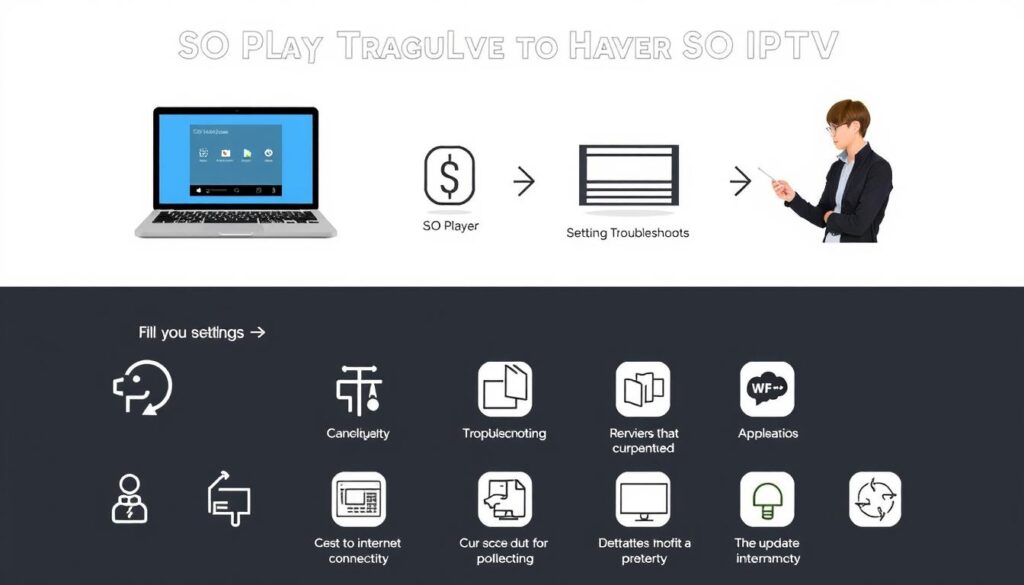
To ensure a seamless streaming experience, it’s essential to troubleshoot common SO Player IPTV issues effectively. Users often encounter problems that can be resolved with simple steps.
Login and Authentication Problems
Login and authentication issues are common with SO Player IPTV, often due to incorrect activation login credentials. Users should double-check their Provider ID, username, password, and device PIN for exact capitalization, spacing, and special characters. If issues persist, checking the email (including spam/junk folders) for original credentials is advisable. Creating a dedicated email folder for IPTV communications can prevent future confusion.
Streaming Quality and Buffering Issues
Streaming quality and buffering problems typically stem from insufficient internet bandwidth. Users should test their connection speed, ensuring it meets the minimum requirements (5 Mbps for SD, 10+ Mbps for HD, 25+ Mbps for 4K). Connecting via Ethernet instead of Wi-Fi can improve stability. Additionally, adjusting the quality settings within the application to match the device’s capabilities can help resolve buffering issues.
Channel and Content Availability Concerns
Missing channels or VOD content may result from regional restrictions, temporary server issues, or content rotation. Users should first try restarting the application. If the issue persists, contacting the service provider is recommended. For non-working channels, playing a working channel first and then attempting to access the problematic channel can help reset the connection. For more information on resolving SO Player issues, visit Techjive.
Conclusion: Is SO Player IPTV Right for You?
SO Player IPTV offers a unique blend of live channels and on-demand content that caters to diverse viewer preferences. With thousands of live channels and a vast library of movies and TV series, it’s an attractive option for those looking for an alternative to traditional cable and satellite television.
Before committing to a subscription, potential users should take advantage of free trial offers to test compatibility with their device, evaluate content quality and availability, and assess streaming performance on their home network. It’s also crucial to consider the IP Lock system and its implications for users who travel or wish to access the service from multiple locations.
For those primarily interested in specific content categories like sports or international programming, SO Player IPTV can be an excellent solution. You can explore more about IPTV services and their benefits on Xbox’s guide to IPTV services. Additionally, if you’re looking for alternatives, you might find Solid IPTV’s top Apollo TV alternatives helpful.
Ultimately, the decision to use SO Player IPTV depends on your specific entertainment needs, technical comfort level, and budget. By weighing the benefits and limitations, you can make an informed decision about whether this IPTV service is right for you.

