
Welcome to our comprehensive guide on iptv-org, the open-source repository that’s revolutionizing how people access legal streaming content worldwide.
This community-driven project provides access to thousands of publicly available IPTV channels through well-organized playlists, making it an invaluable resource for cord-cutters and streaming enthusiasts.
Unlike paid streaming services, iptv-org focuses exclusively on legally available content that content owners have intentionally made public, ensuring a safe and compliant viewing experience.
In this guide, we’ll walk you through everything from basic setup to advanced features, helping you make the most of this valuable streaming repository.
Key Takeaways
- Discover how iptv-org provides access to thousands of publicly available IPTV channels.
- Learn how to set up and use iptv-org for a seamless streaming experience.
- Understand the legal implications of using iptv-org and its compliance with copyright laws.
- Explore the benefits of using an open-source streaming repository.
- Find out how iptv-org compares to paid streaming services.
What is iptv-org?
iptv-org is revolutionizing the way we access television content online. It’s a GitHub-based open-source repository that collects and organizes publicly available IPTV channels from around the world. Unlike commercial IPTV services, iptv-org doesn’t host video content but maintains a curated collection of links to streams made available by content owners.
The Open-Source IPTV Repository
The iptv-org project is structured around a central database that catalogs channel information, making it easy for users to find specific content based on country, language, or category. This repository is crucial for organizing the vast array of available IPTV channels. All channel data is taken from the iptv-org/database repository.
Community-Driven Development
As a community-driven initiative, iptv-org relies on global user contributions to discover, test, and maintain links, ensuring they remain functional. The project’s transparent nature allows anyone to inspect the code, suggest improvements, or report issues, fostering a collaborative ecosystem. Development follows open-source principles, with all changes tracked publicly and decisions made with user community input.
- The project maintains strict standards about only including legally available streams.
- It avoids copyright-protected content that hasn’t been intentionally shared by rights holders.
Getting Started with iptv-org
The process of getting started with iptv-org involves selecting a compatible device and video player, then loading a playlist. This guide will walk you through the necessary steps to begin streaming your favorite channels.
System Requirements
To use iptv-org, you’ll need a device with internet access and a video player capable of handling M3U playlist files and streaming protocols like HLS or MPEG-TS. The basic system requirements are modest, making it accessible on a wide range of devices.
| Device Type | Operating System | Internet Requirement |
|---|---|---|
| Computers | Windows, Mac, Linux | 5-10 Mbps for SD, 15+ Mbps for HD |
| Smartphones/Tablets | iOS, Android | 5-10 Mbps for SD, 15+ Mbps for HD |
| Smart TVs | Various | 5-10 Mbps for SD, 15+ Mbps for HD |
Compatible Video Players
For the best experience, we recommend using a player specifically designed for IPTV content. Popular options include VLC Media Player, Kodi, IPTV Smarters Pro, and TiviMate. Simply paste the link to one of the playlists into your chosen video player and press Open.
Understanding iptv-org Playlists
To navigate the vast world of iptv-org, understanding its playlist structure is crucial. The repository organizes its extensive collection of iptv channels into various playlist files, making it easier to find and access specific content.
Main Playlist Index
The main playlist, index.m3u, contains all available channels in the repository, currently numbering in the thousands from across the world. This comprehensive collection can be found at: https://iptv-org.github.io/iptv/index.m3u. While it’s a valuable resource, it may be overwhelming for some users.
Country-Specific Playlists
For more targeted viewing, iptv-org offers country-specific playlists that contain only channels from particular regions. These playlists are formatted in the M3U standard and include metadata such as channel name, logo URL, and stream URL. With playlists available for over 150 countries, users can focus on content relevant to their interests or language preferences. For more information on other available playlists, users can refer to the PLAYLISTS.md file, as mentioned in the IPTV hub review.
How to Use iptv-org Playlists
Using iptv-org playlists is a straightforward process that involves selecting the right playlist for your viewing preferences. You can choose from a comprehensive main playlist or more focused country-specific ones.

Loading Playlists in Media Players
For most media players, loading a playlist involves copying the M3U URL and using the “Open Network Stream” function. In VLC Media Player, this is done via Media > Open Network Stream. For more detailed instructions on setting up IPTV on your device, you can refer to guides like the one on setting up IPTV on Windows.
Troubleshooting Common Issues
If you encounter non-working channels, try another channel or check the iptv-org repository for updated playlists. For persistent issues, consult the FAQ.md file in the repository for solutions to common problems. Remember, stream quality can vary across channels since iptv-org aggregates publicly available IPTV streams.
Electronic Program Guide (EPG) Features
The Electronic Program Guide (EPG) is a vital component that elevates your iptv-org experience by providing TV schedule information for available channels. Unlike basic playlists, EPG data adds program titles, descriptions, start/end times, and categories, creating a more traditional TV viewing experience.
Accessing EPG Data
Iptv-org maintains a separate repository (iptv-org/epg) dedicated to EPG data, which is regularly updated. To access this data, you typically need to add the EPG URL to your media player alongside the playlist URL. The exact process may vary depending on the player you’re using.
Integrating EPG with Players
For optimal integration, most IPTV-focused players like TiviMate or IPTV Smarters Pro have dedicated settings for EPG sources that automatically match program data to the corresponding channels. The EPG data is provided in XMLTV format, an industry standard compatible with most media players and IPTV applications.
As stated by iptv-org, “The EPG feature is a crucial aspect that enhances the overall iptv experience.” This emphasizes the importance of EPG in providing a comprehensive viewing experience.
“The Electronic Program Guide (EPG) is a crucial feature that enhances the iptv-org experience by providing TV schedule information for available channels.”
Exploring the iptv-org Database
The iptv-org database is a comprehensive repository that forms the backbone of the entire project, containing structured information about each channel in the repository.

This database is rich in metadata, including channel names, countries of origin, languages, categories, logos, and legal status information, making it invaluable for users and developers alike.
Channel Information Structure
The database follows a consistent JSON schema, making it machine-readable and easily parseable for integration with other systems or custom applications. Channel information is structured to include vital details such as stream URLs, channel names, and categories.
| Channel Detail | Description |
|---|---|
| Channel Name | Name of the channel as it appears in the database |
| Stream URL | URL where the channel’s stream can be accessed |
| Category | Genre or category of the channel (e.g., news, entertainment) |
Contributing to the Database
Contributing to the iptv-org database is encouraged through GitHub’s issue and pull request system, allowing users to report errors, suggest new channels, or update information about existing entries. All channel data is taken from the iptv-org/database repository.
- Report errors or inaccuracies in channel information
- Suggest new channels for inclusion in the database
- Update existing channel information to keep it current
Leveraging the iptv-org API
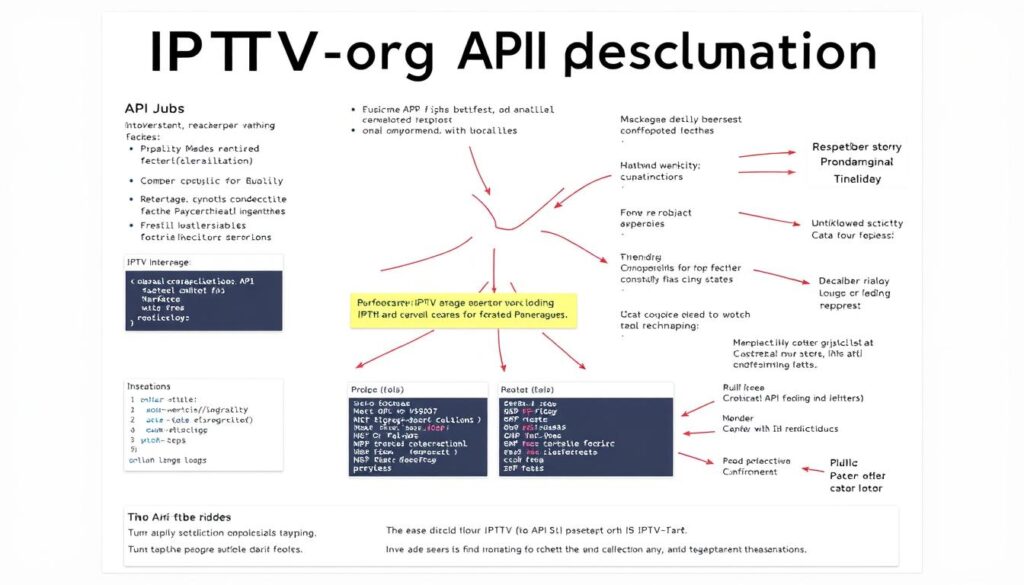
With the iptv-org API, you can tap into a vast repository of IPTV data for various applications. The API provides developers with programmatic access to the project’s data, enabling the creation of custom applications, integrations, and services.
API Endpoints and Functions
The API documentation, found in the iptv-org/api repository, outlines available endpoints, request parameters, response formats, and usage limitations. Key endpoints include channel listings, country data, language information, category details, and playlist generation.
Integration Examples
Developers can use the API to create custom interfaces, mobile applications, or integration with existing media center software. Real-world integration examples include custom electronic program guides, regional channel aggregators, and specialized content discovery tools that leverage the comprehensive iptv-org database.
Legal Aspects of Using iptv-org
Navigating the legal landscape of iptv-org requires an understanding of copyright principles and how they apply to streaming services. iptv-org operates as a repository of user-submitted links to publicly available video stream URLs.
Copyright Considerations
iptv-org doesn’t host or store video files; it merely indexes links to content that copyright holders have made publicly available on the web. This distinction is crucial from a copyright perspective, as linking to publicly available content is generally considered legal in most jurisdictions. For more information on the legality of IPTV services, you can visit this resource.
Terms of Use
Users should be aware that while iptv-org strives to include only legitimate streams, the legal status of streams can change. iptv-org maintains a policy of removing links reported by copyright holders through GitHub’s issue system or pull requests.
Top 10 Legal IPTV Playlists Available Through iptv-org

The iptv-org repository is a treasure trove of legal IPTV playlists, offering users a diverse range of channels to choose from. Among the most valuable playlists are those featuring global news networks, providing access to major international broadcasters.
Global News Channels
These news playlists are particularly valuable for accessing perspectives from different countries and political viewpoints, with many channels offering 24/7 coverage in multiple languages. You can find channels like BBC World, CNN International, and Al Jazeera.
Entertainment and Lifestyle Options
For entertainment seekers, iptv-org offers comprehensive playlists featuring channels dedicated to movies, TV shows, and lifestyle programming. You can enjoy cooking, home improvement, and travel channels, among others, providing valuable content for hobbyists.
Check out more details on public IPTV playlists here.
Security Best Practices for IPTV Streaming
As you explore IPTV streaming options, maintaining robust security practices is crucial. Governments and ISPs worldwide monitor online activities, making it essential to protect your identity and streaming experience.
Using VPNs for Privacy
Using a reputable VPN (Virtual Private Network) service is vital for encrypting your connection and masking your IP address. This adds a layer of privacy and helps bypass geographic restrictions on content. For more information on securing your IPTV service, visit securing your entertainment IPTV service provider security.
Avoiding Malicious Streams
Be cautious of streams from unknown sources, as they may contain malicious links or malware. Stick to the official iptv-org repository to avoid compromised streams. Keeping your media player software updated is also crucial for having the latest security patches.
| Security Measure | Description | Benefit |
|---|---|---|
| Using a VPN | Encrypts your internet connection | Protects your privacy |
| Avoiding Unknown Streams | Sticking to official repositories | Reduces risk of malware |
| Updating Media Players | Ensures latest security patches | Prevents exploitation of known vulnerabilities |

Comparing iptv-org to Other IPTV Services
In the realm of IPTV, iptv-org stands out as a community-driven alternative to traditional services. When evaluating IPTV options, it’s essential to understand how iptv-org compares to both free alternatives and paid subscription services.
Free vs. Paid IPTV Solutions
Unlike paid IPTV services that charge monthly fees for access to premium content and channels, iptv-org is completely free and focuses on legally available public streams. Paid services often operate in legally questionable territory by redistributing copyrighted content without proper licensing. For more information on legal IPTV providers, you can visit https://getmaxtv.com/the-best-iptv-providers-in-canada/.
Reliability and Content Availability
The reliability of iptv-org streams varies based on the original source, with some links occasionally going offline or changing. However, the community actively works to identify and replace broken links. Content availability on iptv-org is extensive for certain categories like news and international channels, but more limited for premium entertainment compared to paid IPTV services.
Troubleshooting Common iptv-org Issues
Even with active maintenance, iptv-org users may encounter issues requiring troubleshooting. Common problems include broken links, playback issues, and geographic restrictions.
Understanding how to address these issues is crucial for a seamless streaming experience.
Fixing Broken Links
Broken links occur when stream sources change their URLs or go offline. Refreshing your playlist by reloading the M3U URL often resolves this.
For persistent issues, checking the iptv troubleshooting guide can help.

Reporting Problems
To report issues, open a new issue on the GitHub repository with details like channel name, playlist URL, device, and error messages.
Before doing so, read the Contributing Guide to ensure proper documentation. More information on finding working codes can be found in this guide.
| Issue | Solution |
|---|---|
| Broken Links | Refresh M3U URL or check guides |
| Playback Issues | Check bandwidth or try lower quality |
| Geographic Restrictions | Use VPN or check content availability |
Contributing to the iptv-org Project
Users of all technical skill levels can contribute to the iptv-org project in various meaningful ways. The project’s success is largely due to the community’s efforts in improving and expanding its services.
How to Submit New Channels
Submitting new channels is one of the most valuable contributions you can make. To do this, you’ll need to find legally available streams and add them to the appropriate playlist through GitHub’s pull request system. Before submitting, ensure the stream is publicly and legally available, works consistently, and isn’t already included in the repository.
Pull Request Guidelines
When making a pull request, follow the established guidelines. This includes proper formatting, providing complete information about the channels, and confirming that the content is legally available for public access. The project’s Contributing Guide provides detailed instructions to help you through this process.
| Contribution Type | Description | Skill Level |
|---|---|---|
| Submitting New Channels | Finding and adding new legally available streams to the repository | Intermediate |
| Testing Existing Links | Checking current links for validity and reporting or fixing broken ones | Beginner |
| Improving Documentation | Enhancing the project’s documentation for better clarity and usability | Beginner/Intermediate |
By contributing to iptv-org, you’re helping to create a more robust and reliable streaming service for everyone. Thank you to everyone who has already contributed to found iptv-org!
Conclusion: The Future of Legal Streaming with iptv-org
iptv-org is revolutionizing global television content access. Focusing on legal streams, it creates a sustainable model respecting creators while providing numerous channels. For more on IPTV legality, visit this resource.

